 My Intelligent Agenda
My Intelligent Agenda
Getting started
What to have ready before you request access, what happens after that, and how quickly a hospital is actually up and running with My Intelligent Agenda.
What to have ready
The more complete your information, the faster the setup afterward. Five things that help — nothing needs to be final yet.
Staff list with contract percentage
Name, role, and the percentage each doctor works — full-time or part-time (100%, 80%, 60%…). That percentage later drives a fair share of the workload.
Your sites
Every location where work happens: a main campus, any satellite clinics, and which doctors can work where.
Shift catalogue with times
Every shift type with exact start and end times — day, evening, night, weekend shifts — so it's fixed what a shift actually means.
Coverage rules of thumb
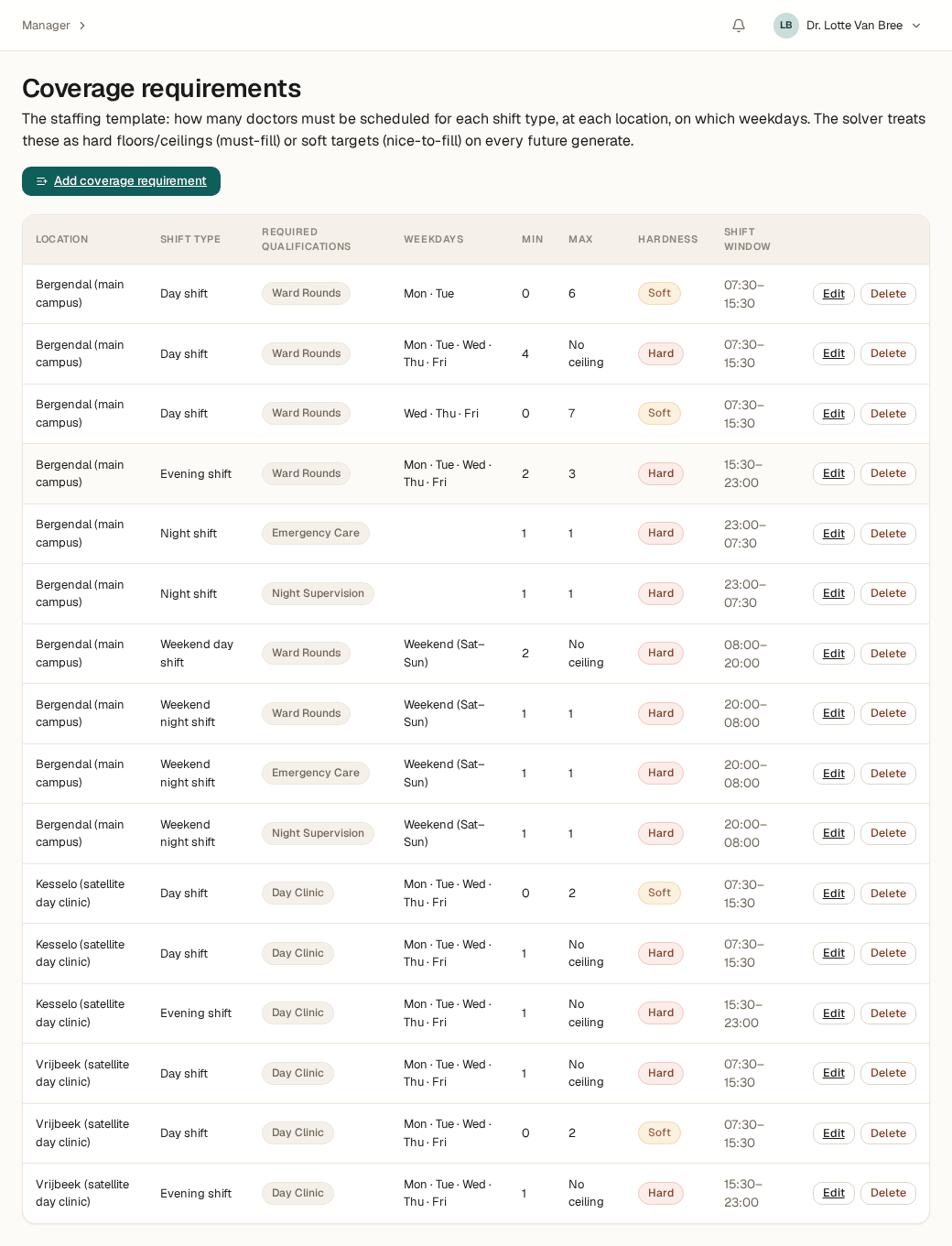
Roughly how many doctors each shift needs at minimum — and optionally at most — per site and weekday. Exact numbers don't need to be final yet.
Who becomes the configurator
One or a few people who manage coverage and rules day to day. Often the planner themself, sometimes a lead physician or secretariat.
No exact numbers needed to start
A rough estimate is enough to begin: “at least two doctors on the day shift, one overnight.” After initial setup you refine this further, per site, shift, and weekday.
Every requirement gets a minimum — and optionally a maximum — and you mark it as a hard floor or a soft target.
What happens after you request access
Three steps between your request and your first login:
Confirm your email
You confirm your email address via a link, so we know the request is genuine.
We review it
Our team reviews the request personally — no automated approval.
Invitation with a set-password link
Approved? You'll receive an invitation with a link to set your password, and can log in right away.
Where the app takes over
These pages give you the big picture. Once you're logged in, the onboarding workbench takes over: a step-by-step plan that shows your real configuration immediately, with guidance built into every screen. These pages don't repeat that guidance — they just make sure you start with the right information at hand.
Ready to begin?
Request access, or see how the whole journey works first.