 My Intelligent Agenda
My Intelligent Agenda
How it works
From a first request to a published schedule — this is the path your hospital takes with My Intelligent Agenda, in five steps.
Request access
We bring new hospitals on board personally. You leave your details, confirm your email address, and our team reviews the request — there's no open self-registration.
Approved? You'll receive an invitation with a link to set your password. From there you can log in and start setting up.
Configure your hospital
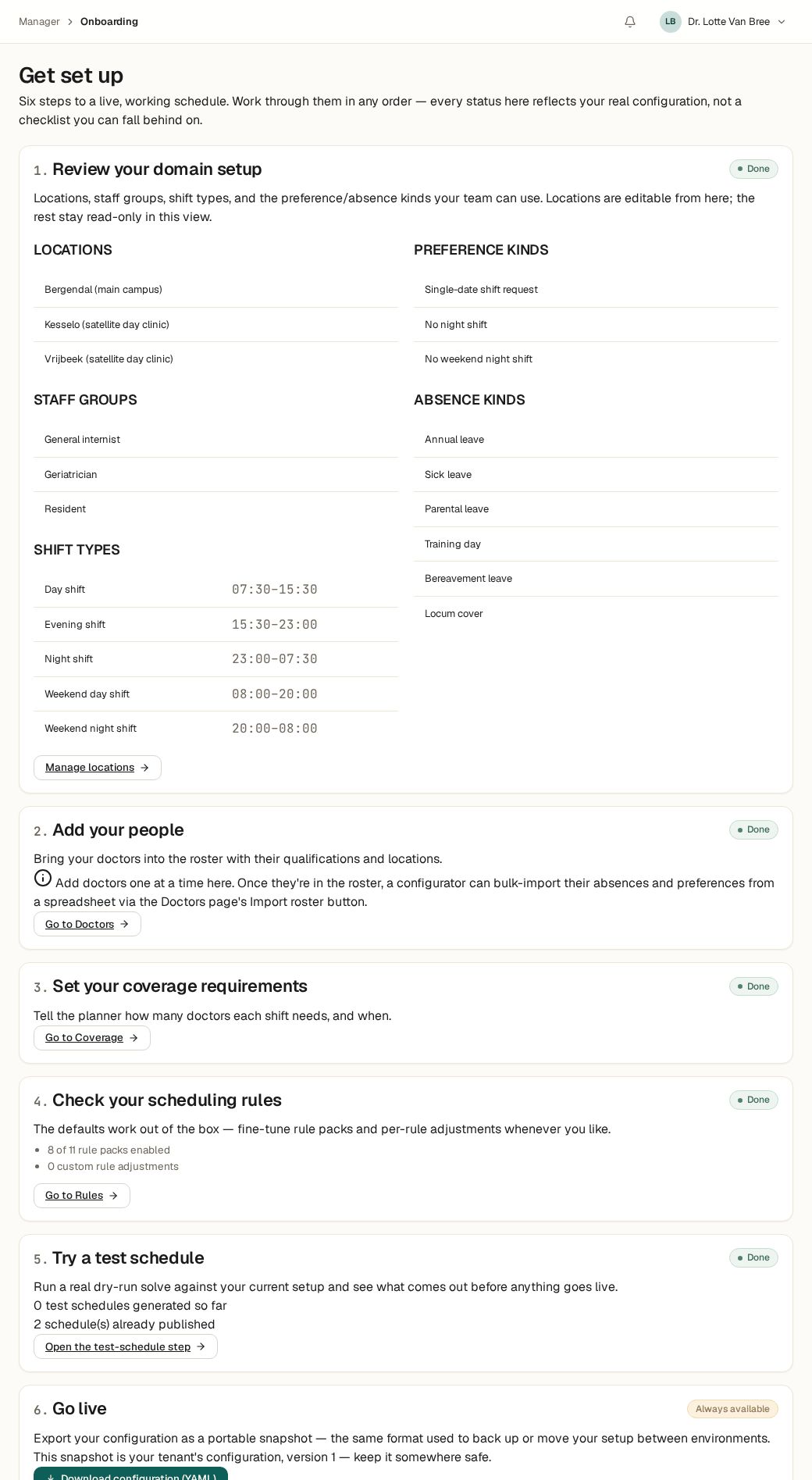
After logging in, you work through the onboarding workbench: locations, teams, doctors, and coverage rules. Everything through setup screens — no code, no implementation project.
Every step reflects your real configuration, not a checklist you can quietly fall behind on. Work through the steps in any order, and adjust them again later whenever you like.
The solver computes
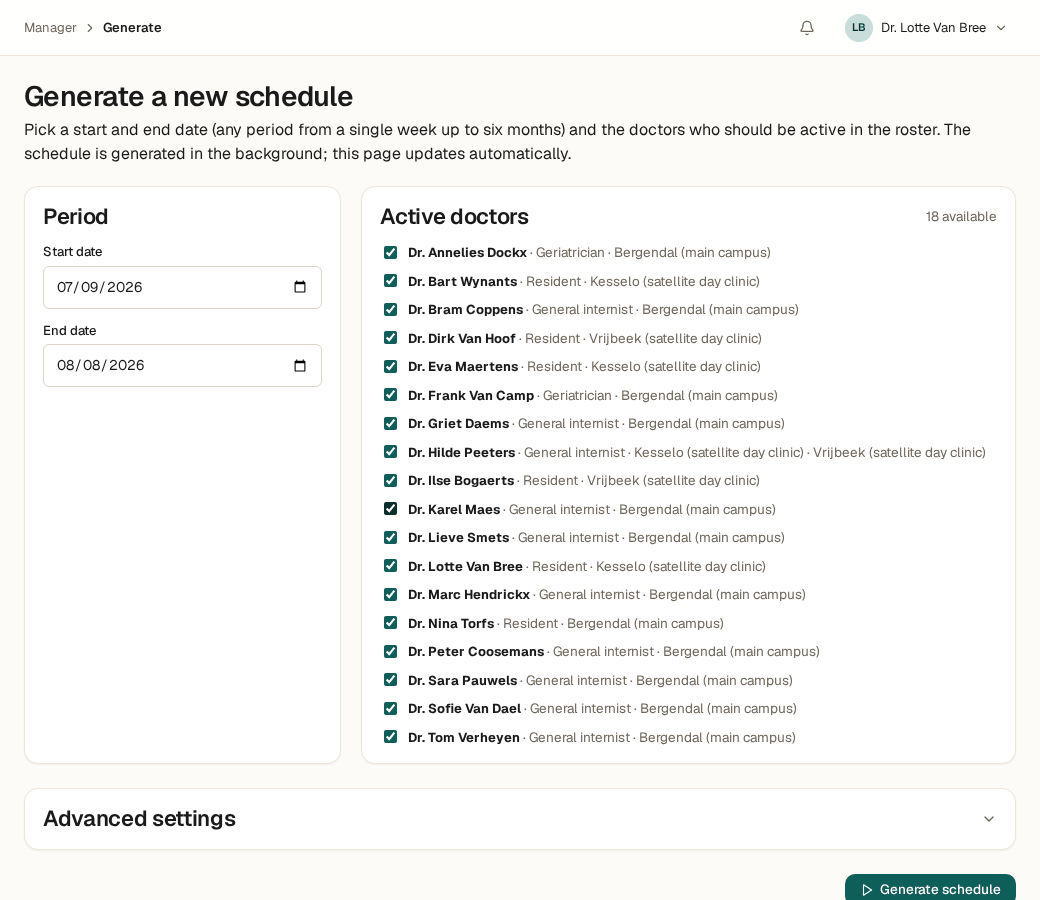
Pick a period and the doctors who are active, and click “Generate schedule.” A constraint solver searches every valid schedule and computes the best one — in seconds, not hours.
Up to 18 doctors, a full computation typically takes under 15 seconds. Something doesn't fit? The solver flags it right away, instead of failing silently.
Review and publish
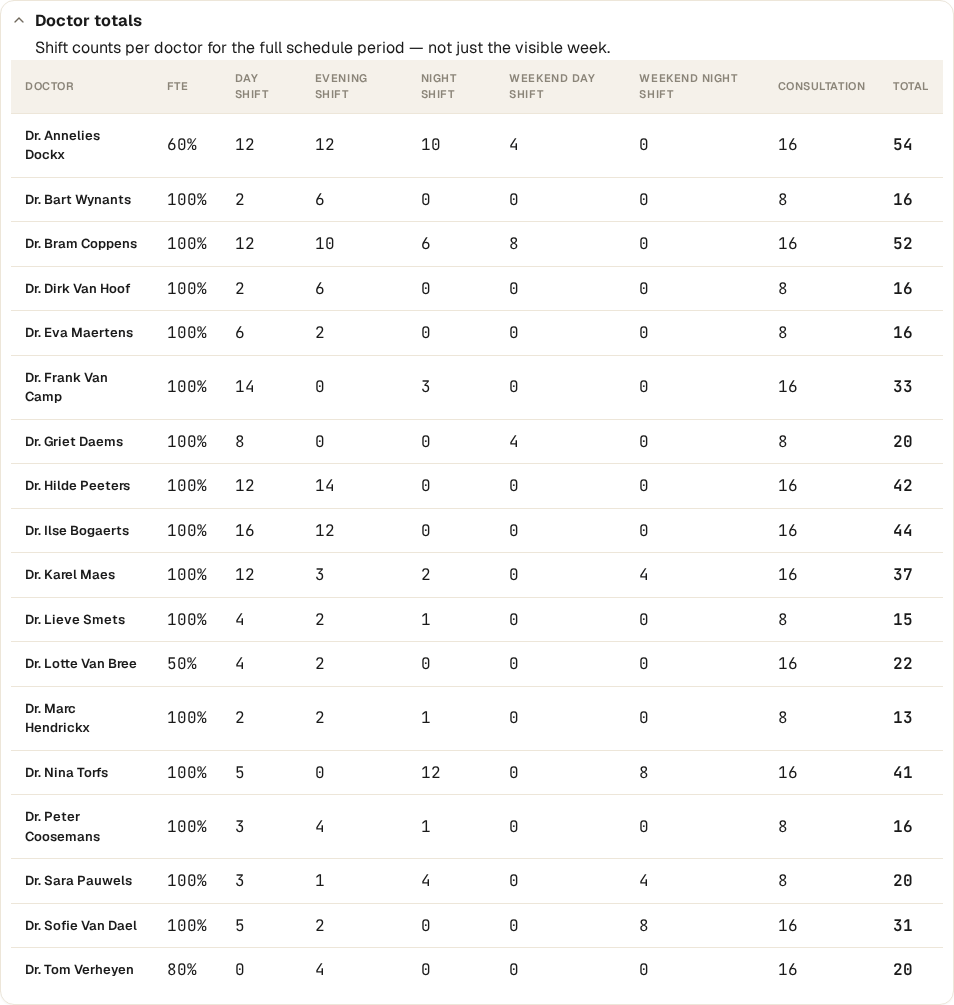
The draft schedule appears with a totals panel per doctor — normalized for part-time percentage — so you can see at a glance whether the distribution is fair.
Adjust a shift by hand where needed, and publish only once it's right. Nothing goes live automatically.
Adjust as life happens
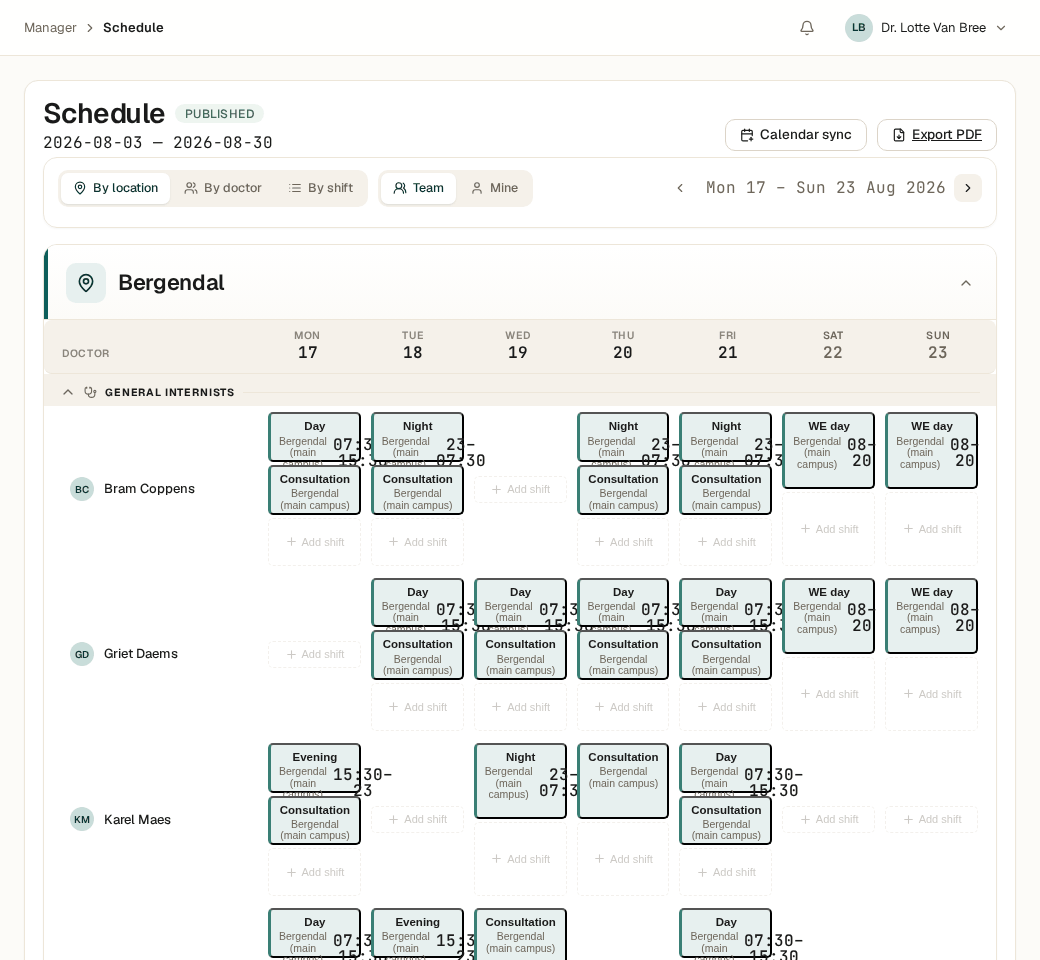
A published schedule is a commitment — it doesn't change on its own. If a doctor falls ill, or two doctors want to swap a shift, you record that as a deliberate, logged edit to the published schedule — not a silent recomputation.
That way everyone knows exactly which version is current, and every change stays traceable — who, when, why.
Ready to get started?
See what to have ready before you request access, or request access right away.