 My Intelligent Agenda
My Intelligent Agenda
What it can do
Every department runs on dozens of rules at once: who can work where, how many people you need at minimum, who can be paired with whom overnight. This page explains, in plain language, what you can configure in My Intelligent Agenda — so you can judge for yourself whether it fits your ward.
Multiple sites, and doctors who move between them
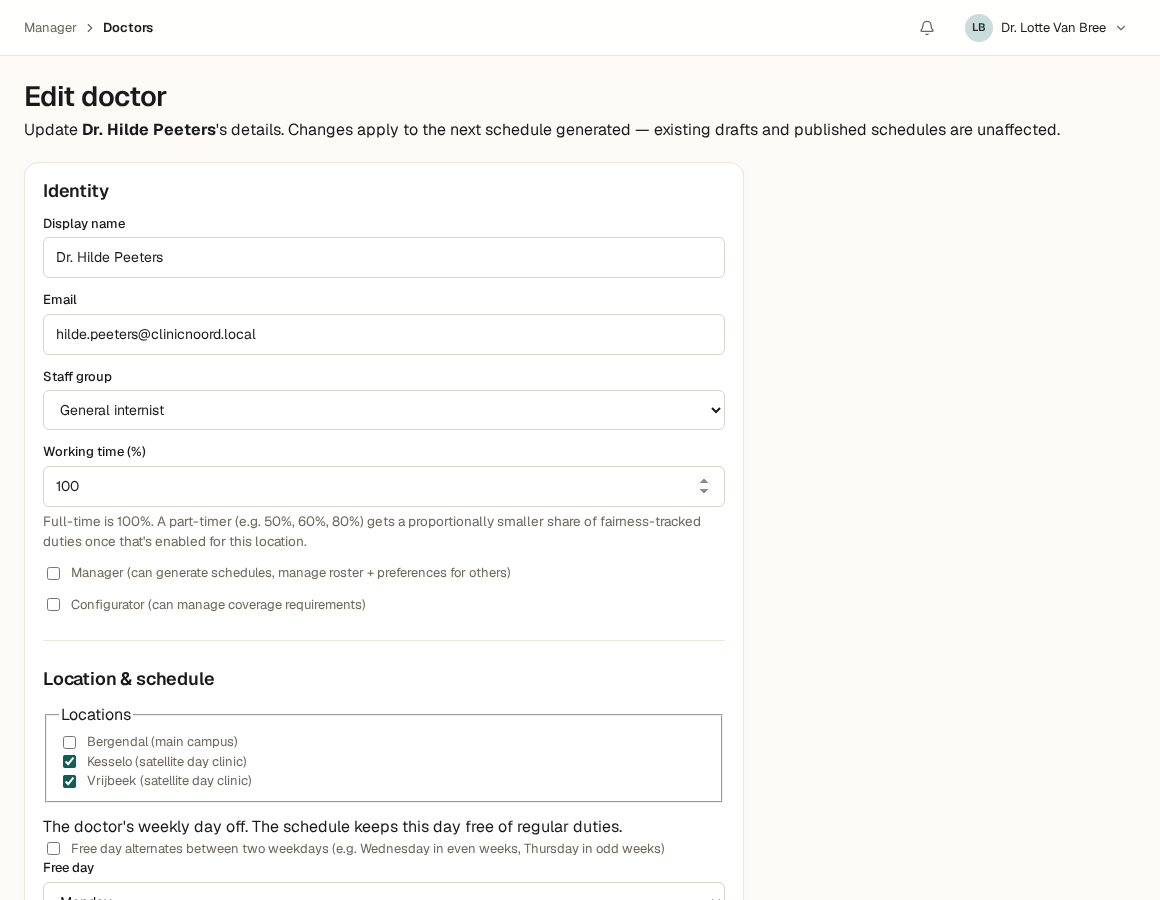
Every location is its own unit, with its own hours and its own coverage: a main site that never closes, and one or more smaller sites that might only run during the day. A doctor belongs to one location, or several at once — you set that per doctor, not per schedule.
Some doctors also carry a standing, recurring commitment at a different site — every other Wednesday, say. You set that pattern once; the schedule honors it automatically, every period after that.
So you can say things like: “This doctor is based at the main site, but covers the other location every other Wednesday.”
Who's allowed to do what
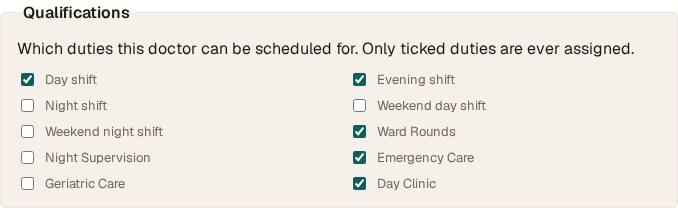
Behind every doctor sits a set of qualifications: which shift types that person can be scheduled for, and whether they can act as the senior, responsible doctor overnight. A resident typically carries a smaller set than an experienced specialist — but you decide that per doctor, not through a fixed role label.
A staff group (say, “resident”) is mostly a label with a shortcut: picking it pre-ticks a sensible default set of qualifications, which you can still fine-tune per doctor afterward. The schedule itself only ever looks at the qualifications, never at the label.
So you can say things like: “A resident is never the sole senior doctor overnight — that always has to be paired with someone who actually holds that qualification.”
A floor that must hold, a ceiling that may bend — and what happens when it's thin
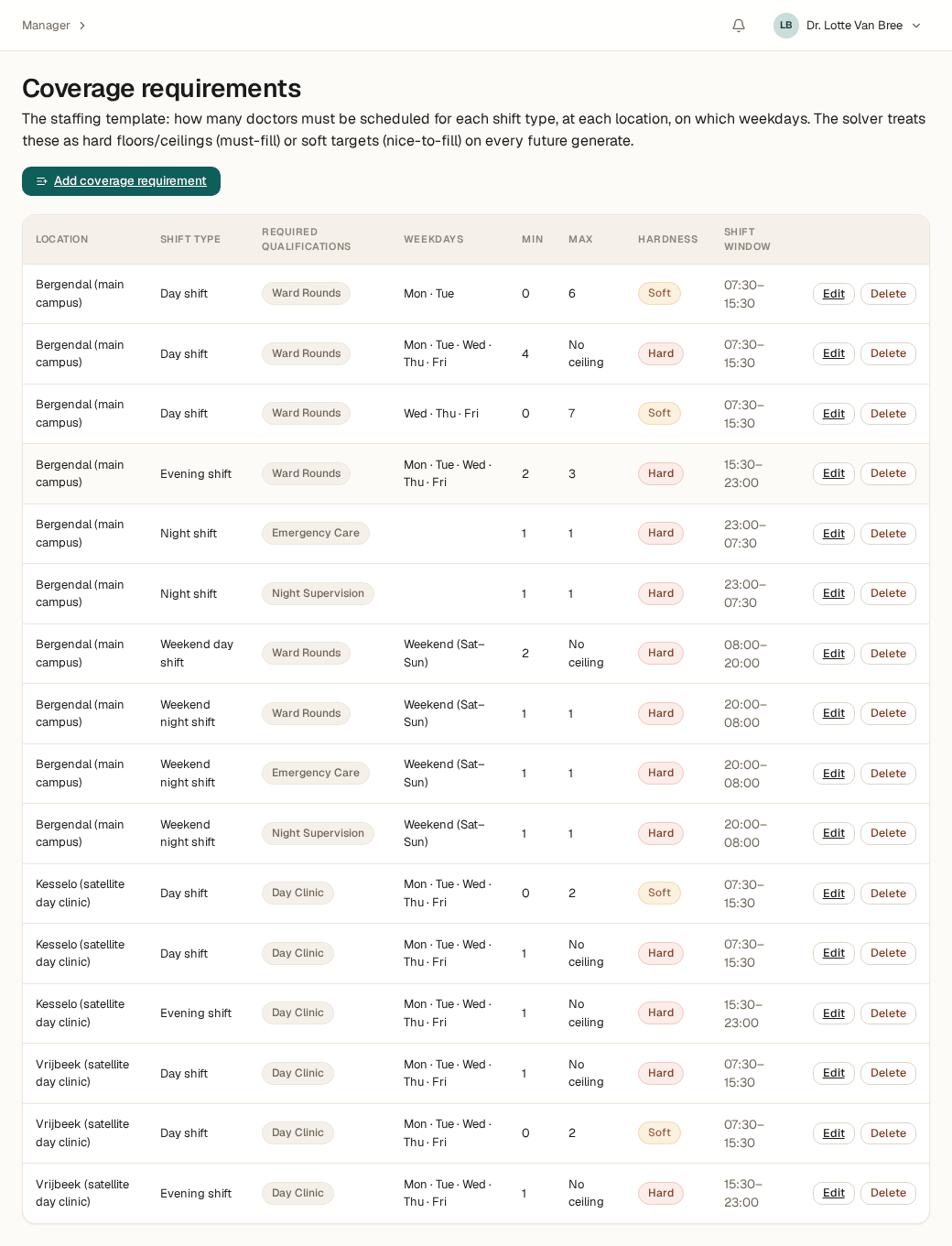
For every combination of location, shift type, and weekday, you set a minimum — and optionally a maximum. For each of the two, you say explicitly whether it's hard (must hold, no exception) or soft (a target, not a wall).
Is a week just too thin to hit a soft target? The schedule doesn't refuse. It still gets built, with a clear flag on exactly that day and shift where coverage fell short — you see it immediately, instead of it happening silently.
So you can say things like: “4 doctors during the day is the hard floor, 6 is the target — and if a week only reaches 3, I want that flagged, not hidden.”
Not just N doctors — N named seats
Some shifts aren't a plain headcount, but a composition of roles: not “two doctors,” but “one senior, responsible doctor and one doctor with a different, specific qualification” — two distinct people, each meeting their own requirement. A weekend can add a third, more general seat on top of that same composition.
The schedule guarantees each seat is filled by a different doctor, even when someone is qualified for more than one seat at once — being qualified for two roles doesn't mean one person can fill both at the same time.
So you can say things like: “Every night needs a supervisor and two others — three distinct people, no doubling up.”
Turn on what you use, leave off what you don't
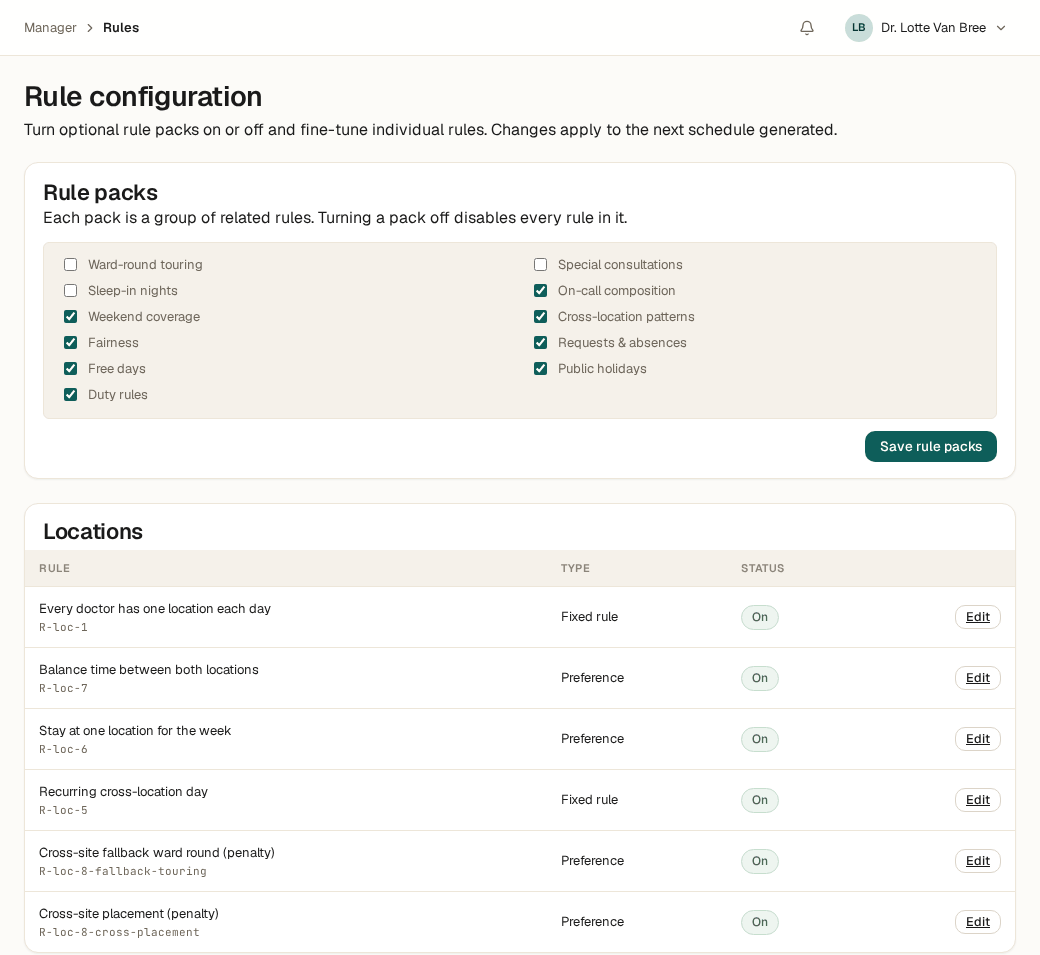
Rules are grouped into packs — free days, fair distribution, rest rules, requests & absences, and more. Doesn't a concept apply to your department? Switch that pack off with one click; nothing in it counts anymore.
Does one rule inside a pack you DO use need a different setting than the default? Override that single rule — the rest of the pack stays untouched.
So you can say things like: “We don't use rest-hour rules after a night shift, but we do want fair distribution and free days — turn that one pack off, leave the rest on.”
Everyone's fair share, rounded up or down
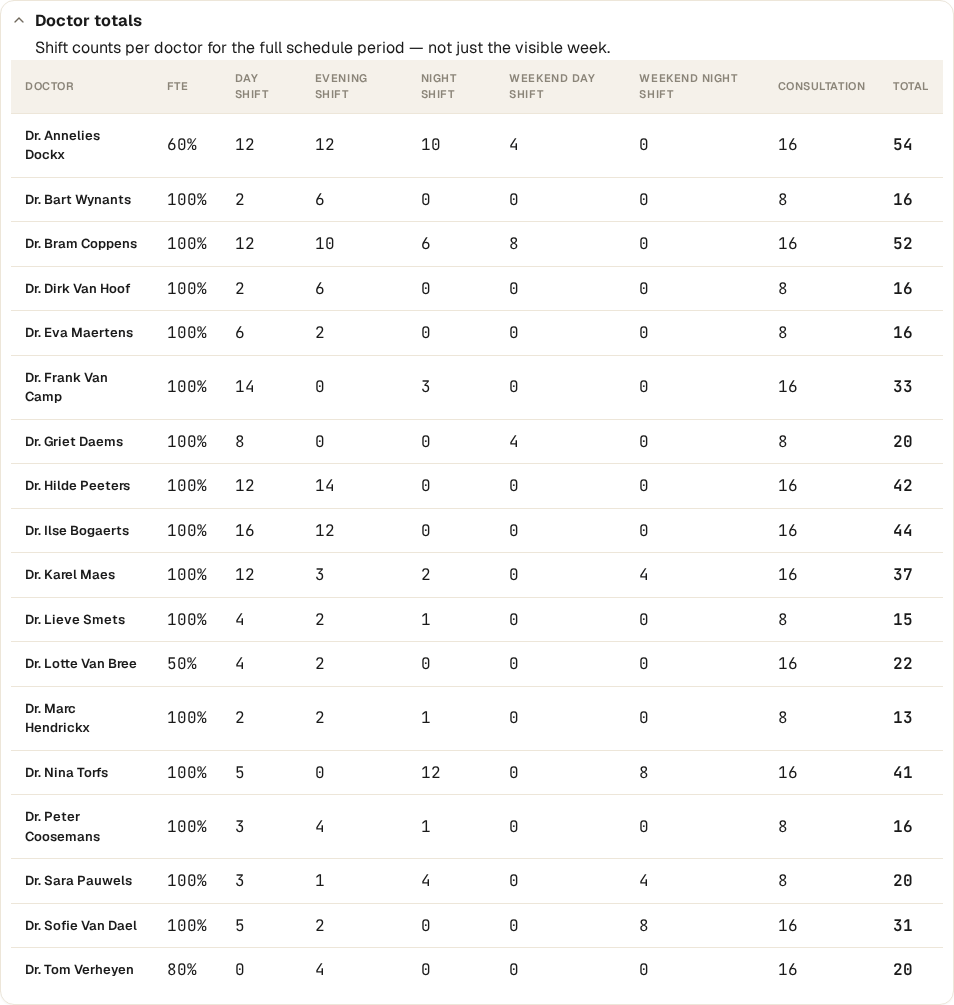
For every shift type and every location, the schedule watches a fair split by part-time percentage: a 50%-FTE doctor isn't compared to a full-time colleague by raw shift count, but by the share that percentage implies.
Because a schedule never hands out half a shift, “fair” here sits between two whole numbers: the share rounded just up or just down. Both count as fair; only landing further outside that band doesn't.
So you can say things like: “Everyone gets their fair share of nights and weekends, rounded up or down — a part-timer never carries a full-timer's load.”
Leave, preferences, and splitting the day itself
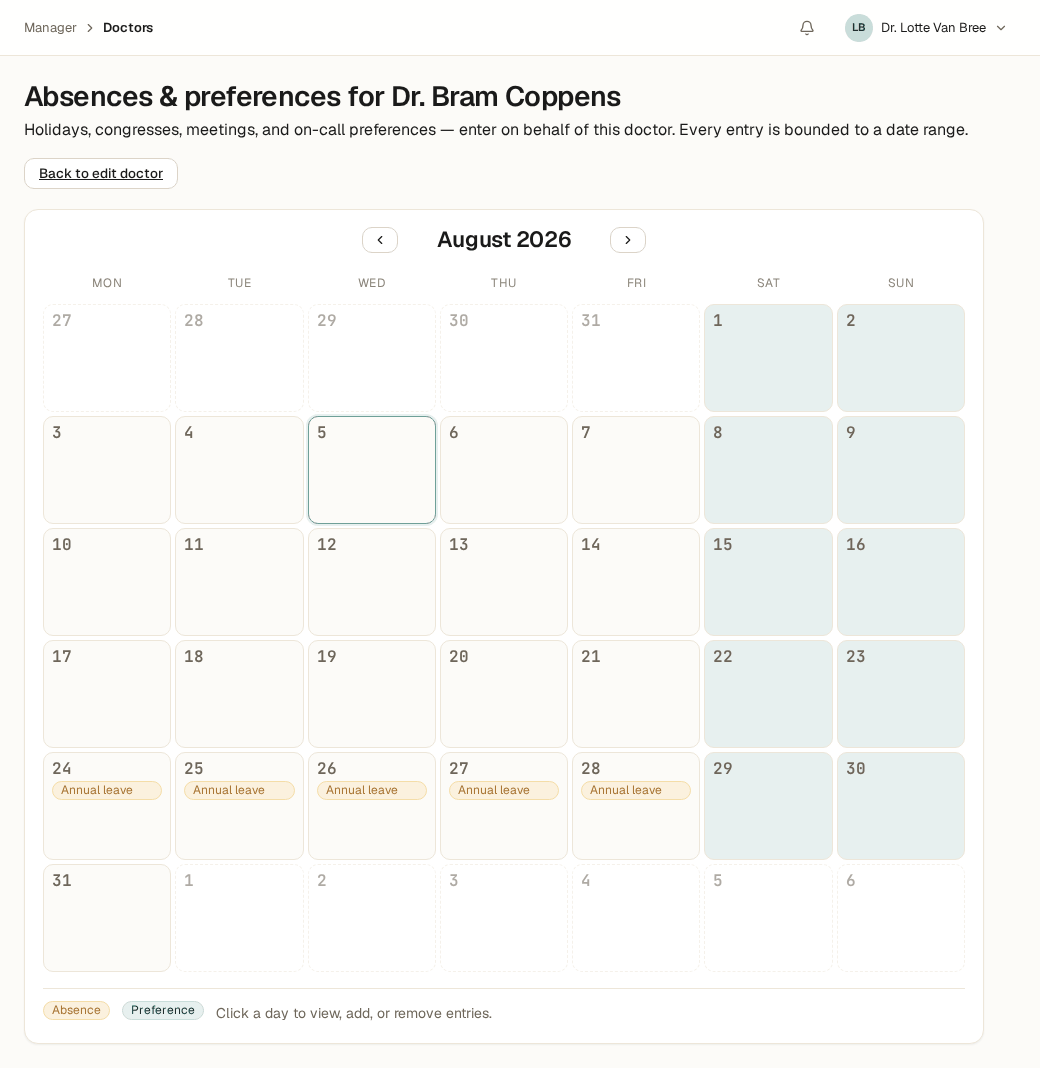
Annual leave, sick leave, training, a conference: every absence and preference carries a start and end date and shows up immediately on the doctor's calendar. Some kinds are hard (never schedule over this), others soft (preferably not, but possible if there's no other way).
Not every absence takes the whole day: a conference or meeting can be limited to a time window — the morning only, say — so the rest of that day stays genuinely available.
So you can say things like: “Sick leave is a hard block, a conference only blocks that morning, and holiday can be overridden as a last resort — but only with a clear flag.”
What the solver does in seconds, and what stays yours
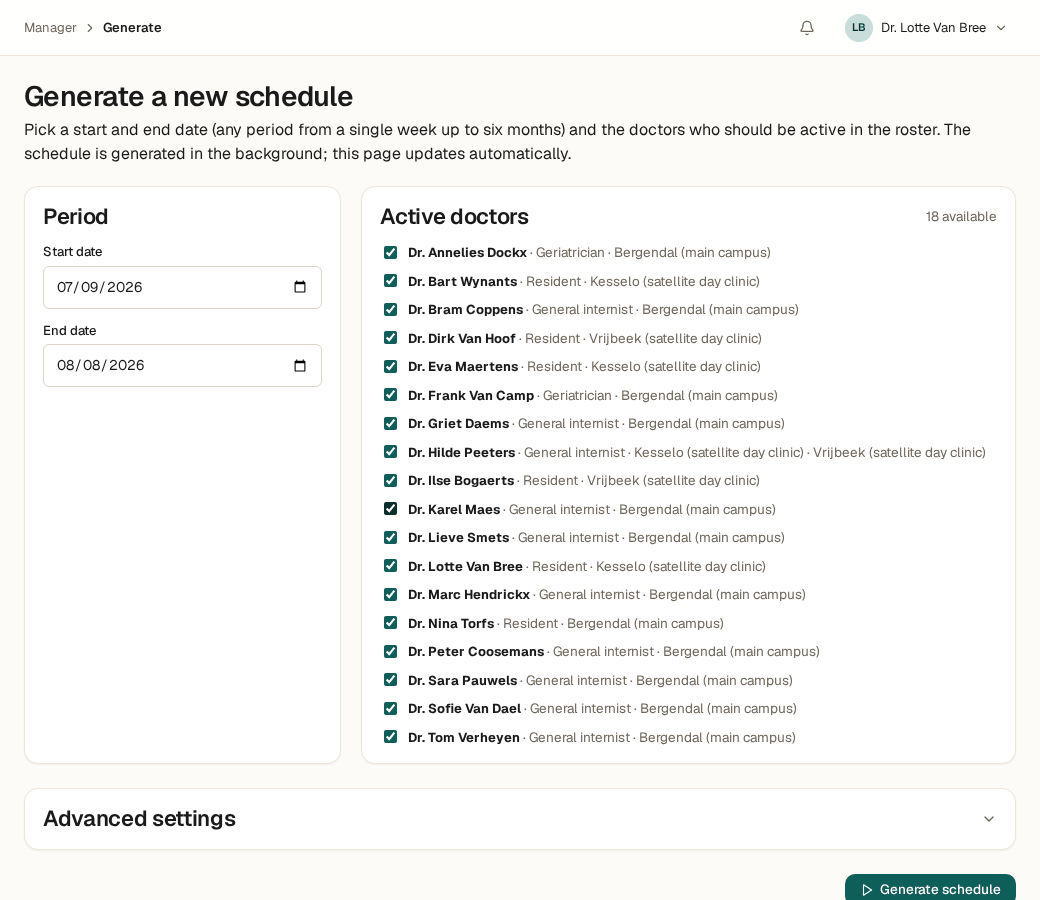
Once the rules are set, a constraint solver searches every valid combination and computes the best schedule — for a full period, in seconds, not hours of puzzling.
What the solver never does: publish on its own. Every proposal is a draft you review, adjust by hand where needed, and publish only once it's right. A later swap or replacement is a deliberate, traceable edit to the published schedule — never a silent recomputation.
So you can say things like: “Compute the schedule for me, but nothing goes live until I've reviewed it.”
What this is today, and what it isn't yet
My Intelligent Agenda is built for hospitals and comparable care organizations today — not other sectors, not yet. Everything above — locations, qualifications, coverage, rule packs, fair distribution, absences — is configuration: yours to change, no development work required. Composed shifts are part of that configuration too, but set up together with our team during the introduction call — not a separate screen you edit yourself.
A genuinely new kind of rule — a mechanism that isn't one of the building blocks above — stops being configuration. That becomes work for our engineering team, not a setting you flip yourself. Not sure whether your department falls outside that? Just ask — that's exactly what the introduction call is for.
Does it fit your ward?
Bring your own rules to the introduction call, or request access right away.