 My Intelligent Agenda
My Intelligent Agenda
Fast, rule-based staff planning for hospitals.
Enter your department's rules once — locations, coverage, fair distribution, absences. My Intelligent Agenda turns them into a compliant duty schedule in seconds. You stay in control: review, adjust where needed, publish when it's right.
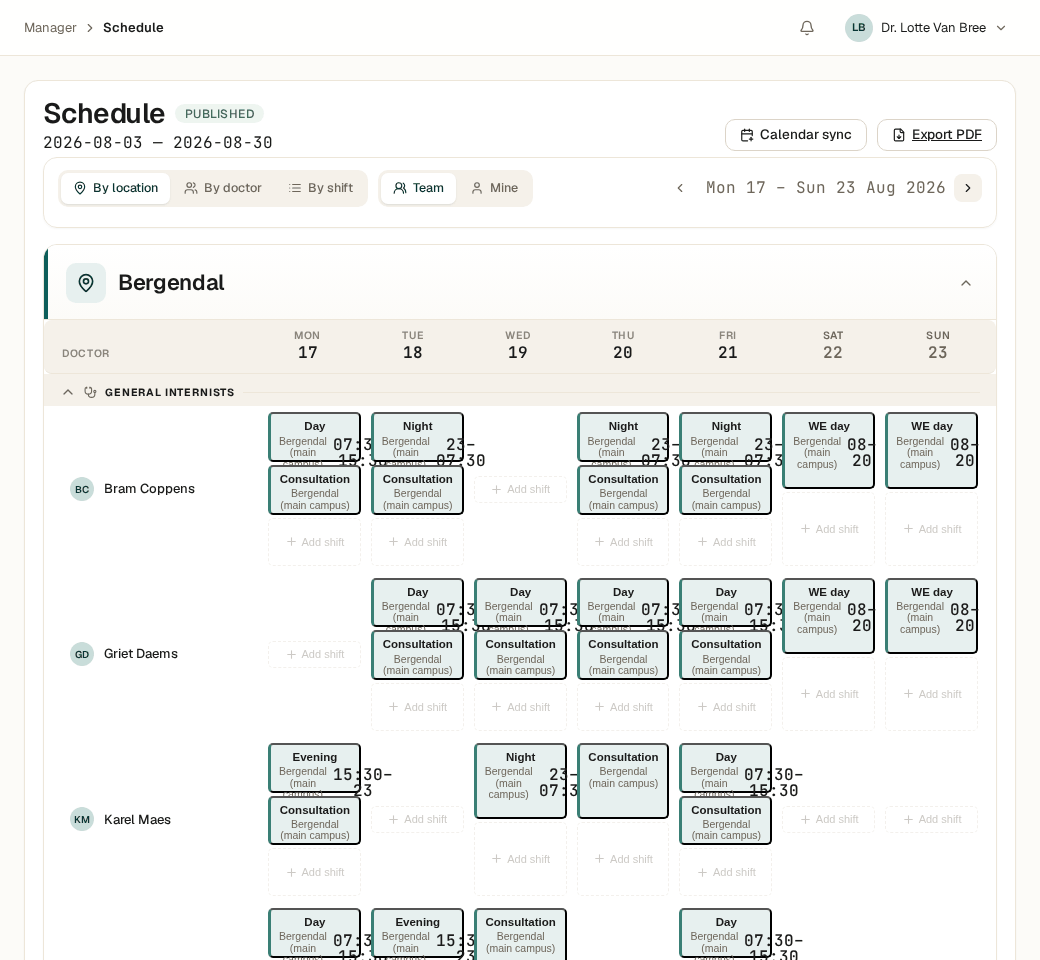
From hours of puzzling to seconds of solving
Hand-building a duty roster means holding dozens of rules in your head at once: who can work where, who needs rest, who's on leave, which site is already full. One change nudges everything else out of place. My Intelligent Agenda knows the same rules — and applies them without a slip, every time.
Set your rules once
Locations, shift types, coverage per shift, fairness rules and exceptions — configured through the setup screens, no code required.
The solver computes
A constraint solver searches every valid schedule and picks the best one — accounting for absences, preferences, and fair distribution.
You stay in control
Review the draft, tweak a shift by hand where needed, and publish when it's ready. Nothing goes live automatically.
Built on what's actually shipped
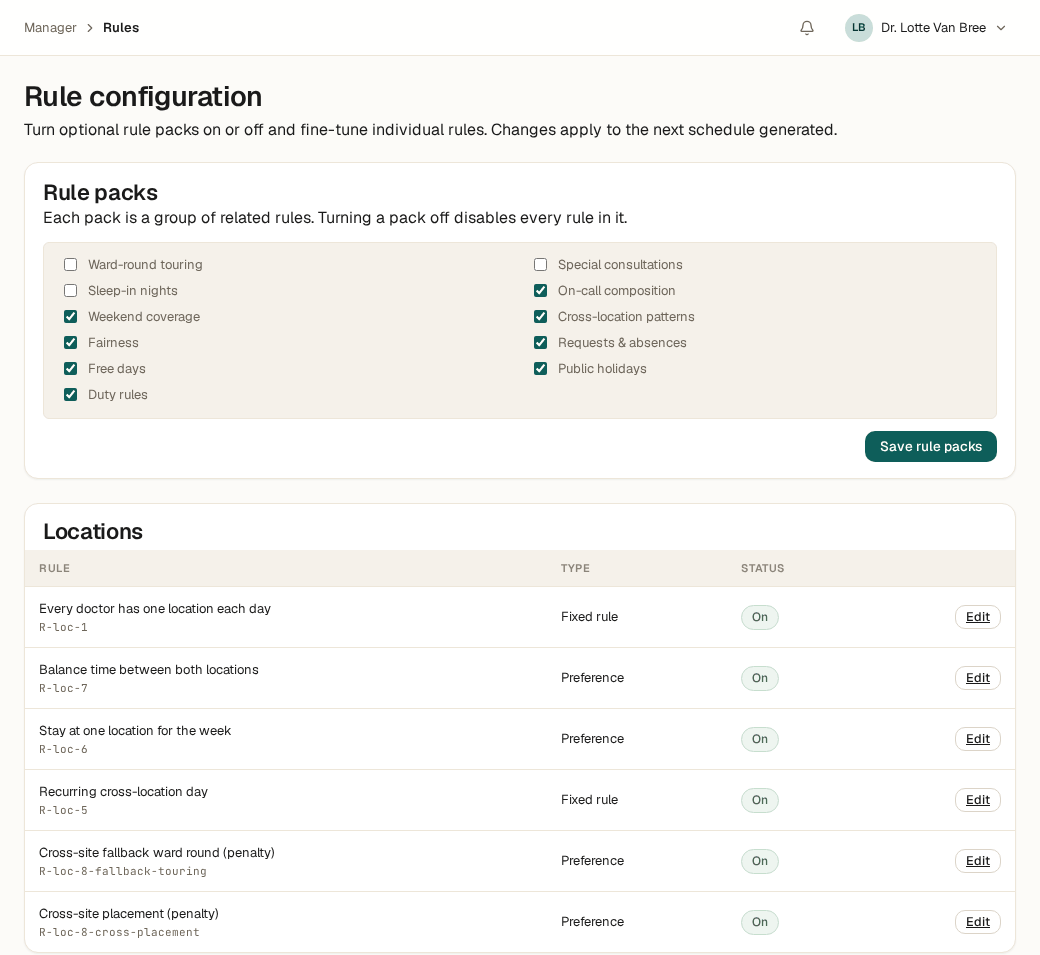
Rule packs you switch on and off yourself
Rules are grouped into packs — weekend coverage, fair distribution, free days, requests & absences — and each pack toggles on or off with one click. Need one rule inside a pack to behave slightly differently? Override it individually, without touching the rest.
Every rule shows at a glance whether it's hard (must-hold) or soft (a target), so you never have to guess what the schedule is and isn't allowed to break.
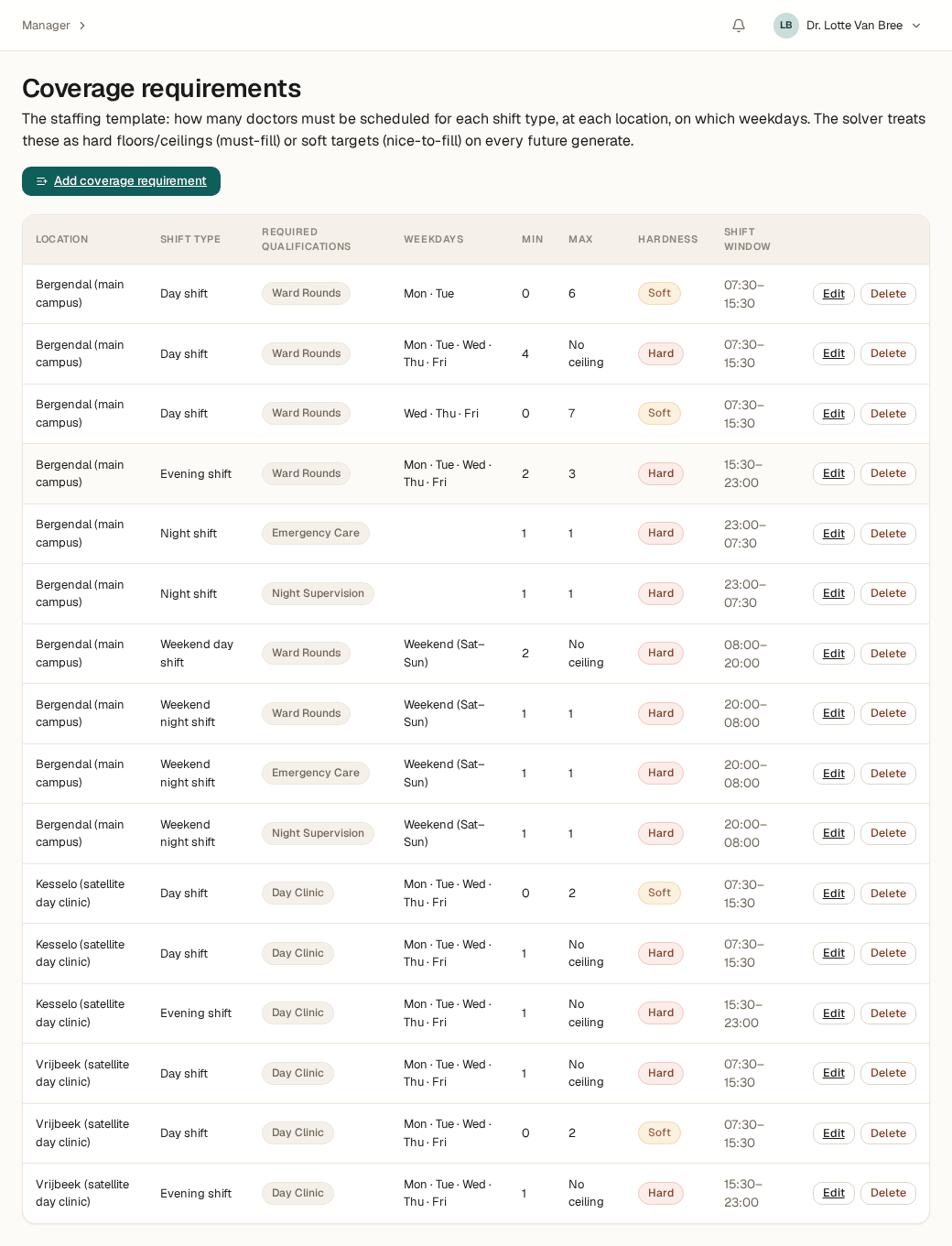
Coverage per site, per shift, per weekday
Every site has its own rhythm: a main campus that never closes, a satellite clinic that only opens during the day. Set a minimum — and optionally a maximum — for every combination of site, shift, and weekday, and mark it as a hard floor or a soft target.
A week with just too few available doctors? The schedule still gets built, with a clear flag on where coverage fell short of target — instead of refusing outright.
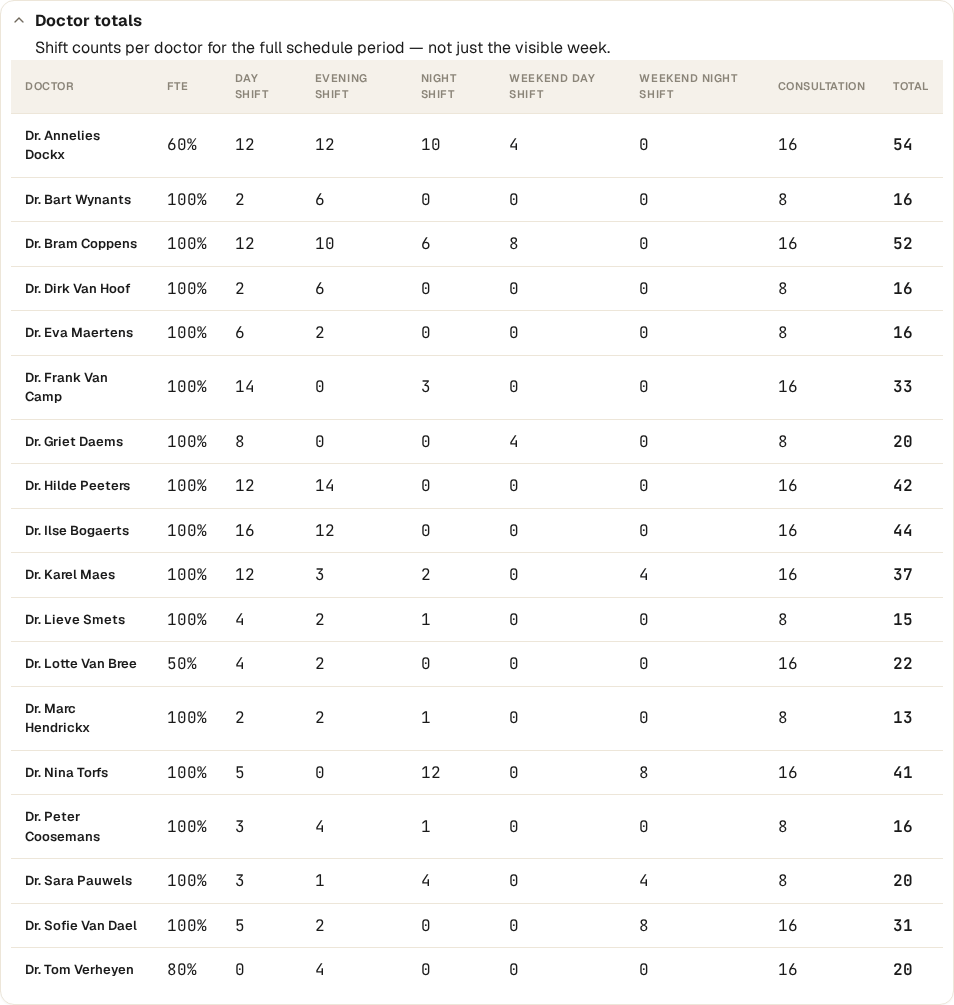
One glance at who worked what
Alongside the schedule itself, the planner sees a live totals panel: per doctor, per shift type, normalized for part-time percentage. No more side-spreadsheet math to check whether the load is actually fair.
That panel covers the full schedule period — not just the week currently in view — so imbalances that build up across weeks show up immediately.
Leave, preferences, and free days — one calendar
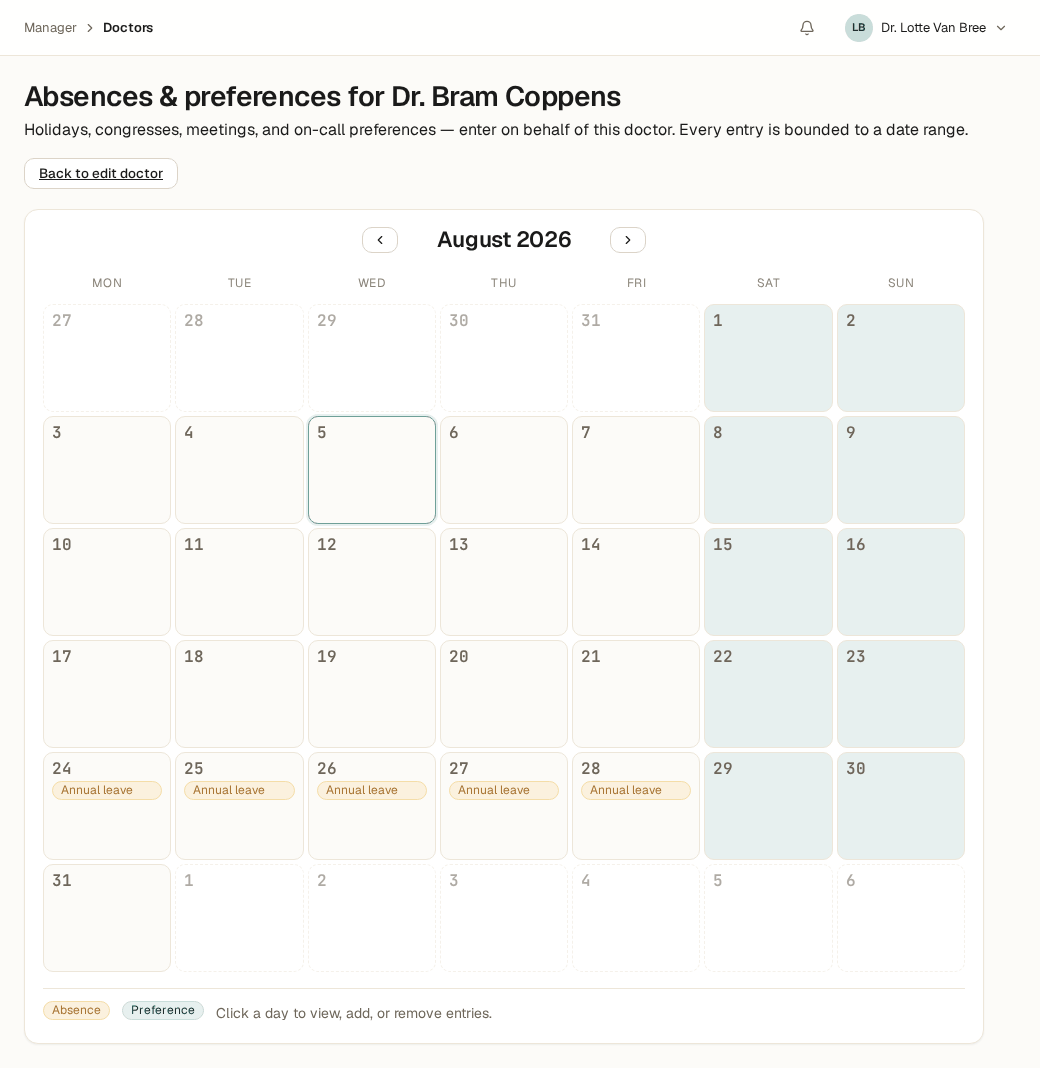
Annual leave, sick leave, training days, standing free days: every absence and preference carries a start and end date and shows up immediately on the doctor's calendar. The schedule respects those absences automatically on every new solve.
Standing free days — including ones that alternate week to week — stay reserved structurally, without the planner having to re-enter them every period.
From zero to your first schedule, step by step
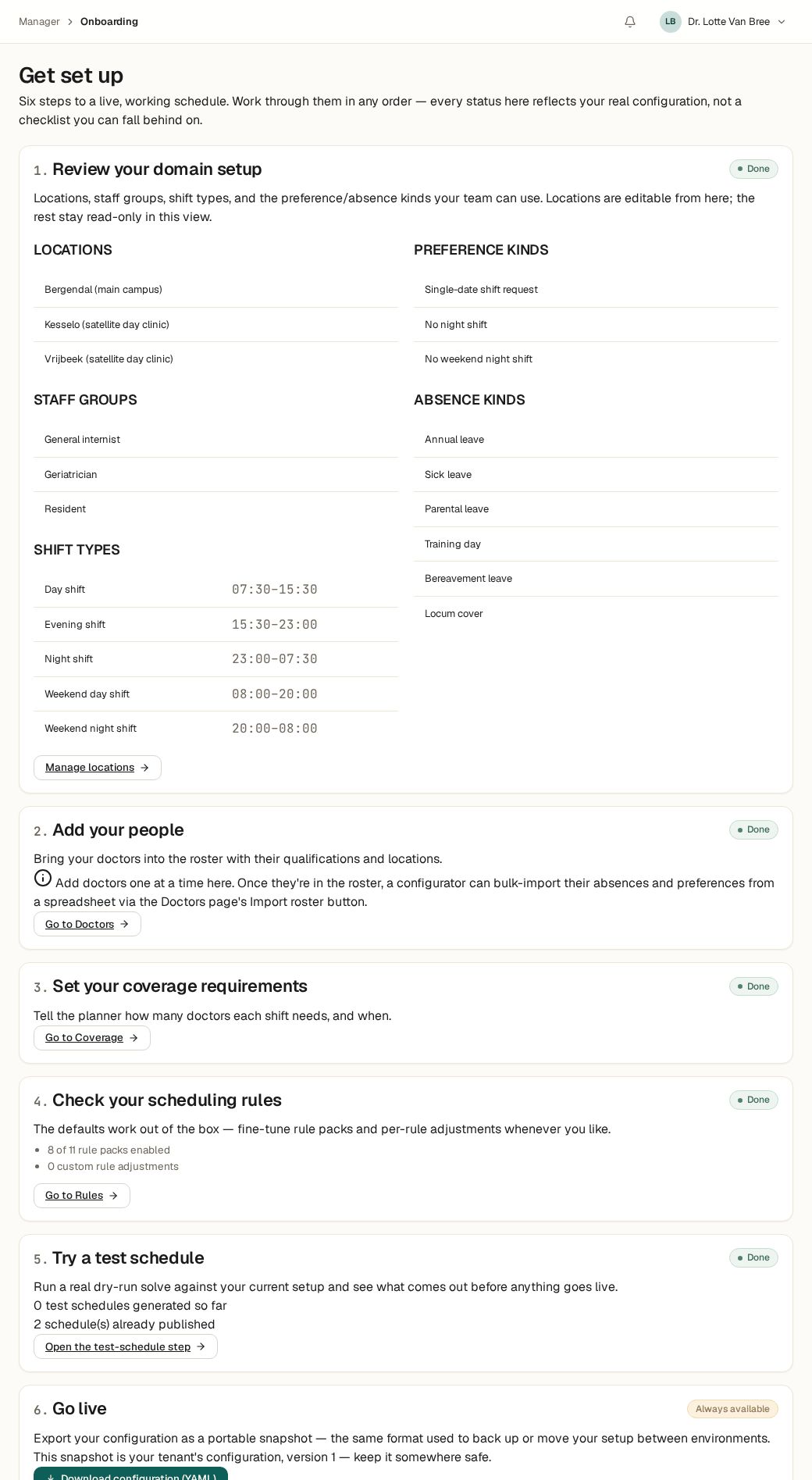
The onboarding workbench walks a new planner through six steps to a first working schedule: set up the domain, add doctors, define coverage, check the rules, try a test schedule, and go live. Every status reflects your real configuration — not a checklist you can quietly fall behind on.
Get stuck partway through? Everything stays editable, in any order.
Ready to try it?
We're onboarding new hospitals personally right now. Leave your details and we'll set up a short introduction call.